
A Practical Guide Powered by Certified Systems Limited, Abuja
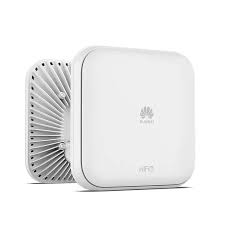
A stable and high-performing Wireless LAN (WLAN) is the backbone of every modern business — from offices and hotels to schools, hospitals, and government agencies. Huawei Access Points (APs) and Wireless Access Controllers (WACs) are built for reliability, scalability, and enterprise-grade performance.
However, like any network system, WLAN issues may occur due to misconfigurations, interference, firmware gaps, or environmental factors. The good news? Most problems can be diagnosed and resolved quickly using a structured approach.
In this guide, Certified Systems Limited, Abuja’s trusted enterprise networking provider, breaks down the most common WLAN issues, their causes, and the most effective troubleshooting steps.

⚠️ Common WLAN Problems on Huawei APs & WACs — and How to Fix Them
1️⃣ AP Unable to Connect to the WAC
This is one of the most frequent issues.
Possible Causes:
Incorrect AC discovery settings
AP not in the same VLAN/subnet
CAPWAP packets blocked
DHCP Option 43 not configured
Firewall or routing restrictions
How to Troubleshoot:
✔ Check if CAPWAP is reachable
✔ Verify AC Discovery Mode
Huawei APs support:
DHCP Option 43
DNS discovery
Static AC configuration
✔ Confirm correct VLAN assignment
Ensure the AP management VLAN has access to the AC.
✔ Check firewall rules
Allow CAPWAP UDP ports 5246 & 5247.
2️⃣ Clients Cannot Connect to Wi-Fi
Possible Causes:
Authentication failures
WPA2/WPA3 mismatch
Incorrect password
ACL/DHCP issues
SSID configuration errors
Fix Steps:
✔ Verify SSID Broadcast
✔ Check Authentication Logs
✔ Ensure DHCP availability
Check the DHCP server or relay configuration.
✔ Confirm matching security settings
Encryption mismatch is a very common problem.
3️⃣ Slow Wi-Fi Speeds or Poor Performance
Common Causes:
Channel interference
Low signal strength
Too many users on one AP
Power level misconfiguration
Faulty cabling (PoE drops speed)
Troubleshooting Steps:
✔ Scan Radio Interference
✔ Enable Automatically Optimized Channels
Use Huawei’s Air Interface Optimization feature.
✔ Adjust AP transmit power
Reduce power to avoid cell overlap (co-channel interference).
✔ Check AP Load Balancing
WACs support user load balancing across radios and APs.
4️⃣ Intermittent Connection Drops
Causes:
Signal fluctuation
Roaming not configured
Overlapping channels
Weak 5GHz coverage
Troubleshooting:
✔ Enable Fast Roaming (802.11k/v/r)
Improves client handover.
✔ Increase 5GHz Coverage
Encourage clients to move away from congested 2.4GHz.
✔ Check AP Uplink Quality
Bad cabling or low PoE power can cause AP resets.
5️⃣ AP Keeps Rebooting or Going Offline
Causes:
Insufficient PoE power
Faulty switch port
Bad firmware
Overheating
Fix Steps:
✔ Check PoE power delivered
Huawei APs often require PoE+ (802.3at).
✔ Upgrade AP & WAC to stable firmware
Outdated versions cause memory leaks & crashes.
✔ Check environment
APs in hot areas may throttle or reboot.
🧰 Tools & Commands to Speed Up Troubleshooting
Huawei provides powerful built-in tools for diagnosing WLAN issues:
📌 Check AP Status
📌 Check Client Information
📌 View WLAN Configurations
📌 Check Radio Health
💡 Pro Tips to Maintain a Healthy Huawei WLAN
Always enable dual-band steering
Use 5GHz as default where possible
Update firmware regularly
Separate IoT devices on isolated VLANs
Use central authentication (RADIUS/LDAP)
Conduct quarterly wireless surveys
Implement network segmentation for scalability
A well-configured WLAN delivers faster speeds, fewer complaints, and improved productivity for every user.
🌐 Why Certified Systems Limited Is Your Best WLAN Partner
At Certified Systems Limited, Abuja, we specialize in delivering world-class enterprise networking solutions using the power of Huawei CloudCampus, Huawei WLAN, and next-generation IT infrastructure.
We provide:
✅ Huawei WLAN deployment (APs, WAC, AC, PoE switches)
✅ Troubleshooting & optimization services
✅ Wireless surveys & heatmap design
✅ Network security and segmentation
✅ Firmware upgrades and lifecycle management
✅ Corporate support and maintenance contracts
As a certified Huawei-trained engineering team, we ensure your wireless network runs at peak performance, enabling better connectivity and seamless digital transformation for your business.
🚀 Need Professional WLAN Support?
Let our certified network engineers optimize your Huawei wireless network for maximum speed, reliability, and coverage.
📍 Visit Us:
Suite 26/27, K30 Mall, Goge Adegoroye Close, Wuye District, FCT, Abuja
📞 Call/WhatsApp:
+234 911 456 8023 | +234 809 717 7152
📧 Email:
info@certifiedsystemsgroup.com
🌐 Website:
www.certifiedsystemsgroup.com